Access to the flow
The requesting physician signs in to the app to follow critical findings and ordered reports.
CRIT turns each flag into a workflow with priority, SLA, confirmation, escalation and an audit trail linked to the exam.
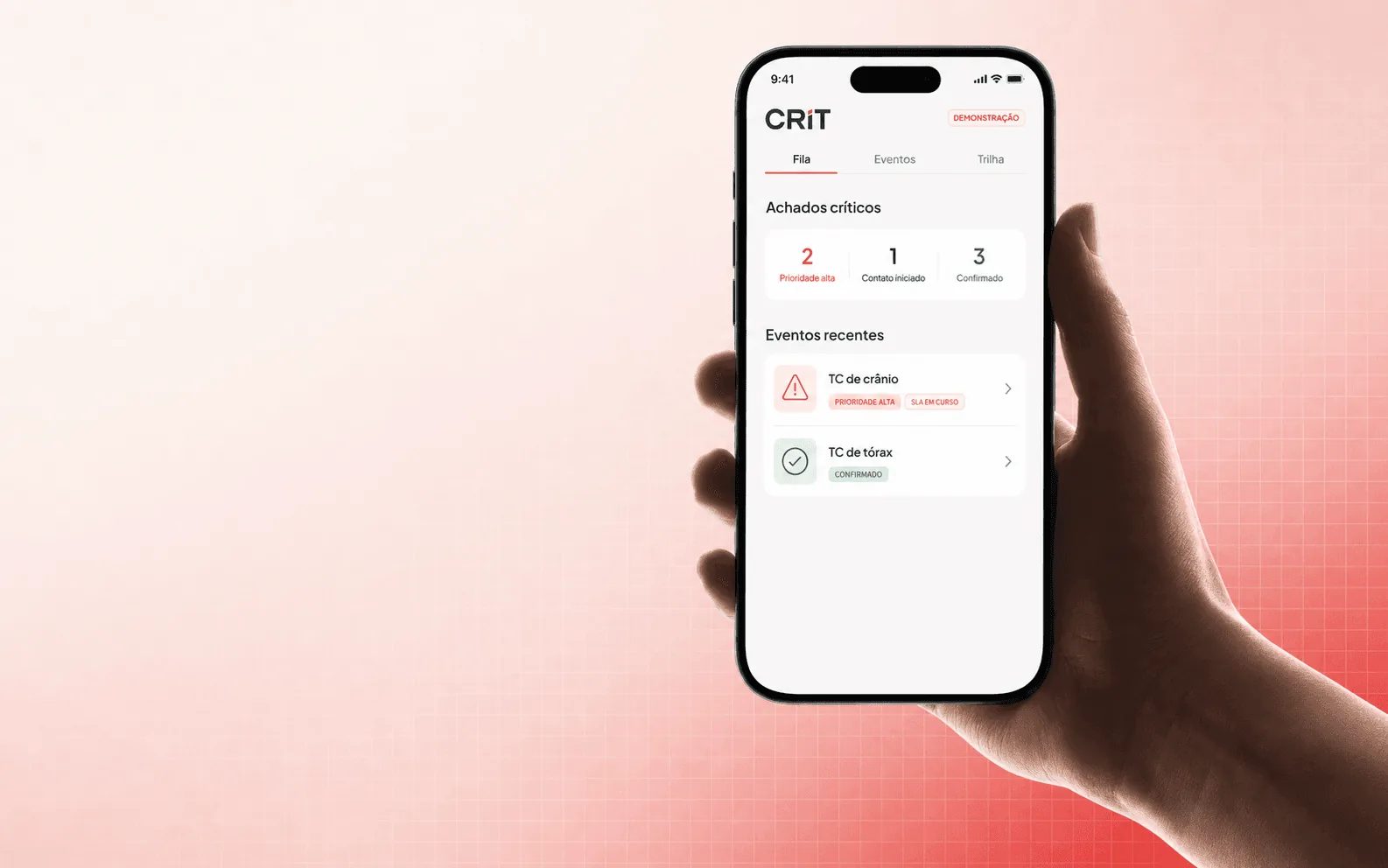
Tap each step to see how priority, contact, confirmation and audit stay linked to the exam.
The flag enters CRIT as an event linked to the exam, with priority and context to start the flow.
The queue prioritizes. The push finds. The call escalates. The confirmation closes the loop and preserves the history.
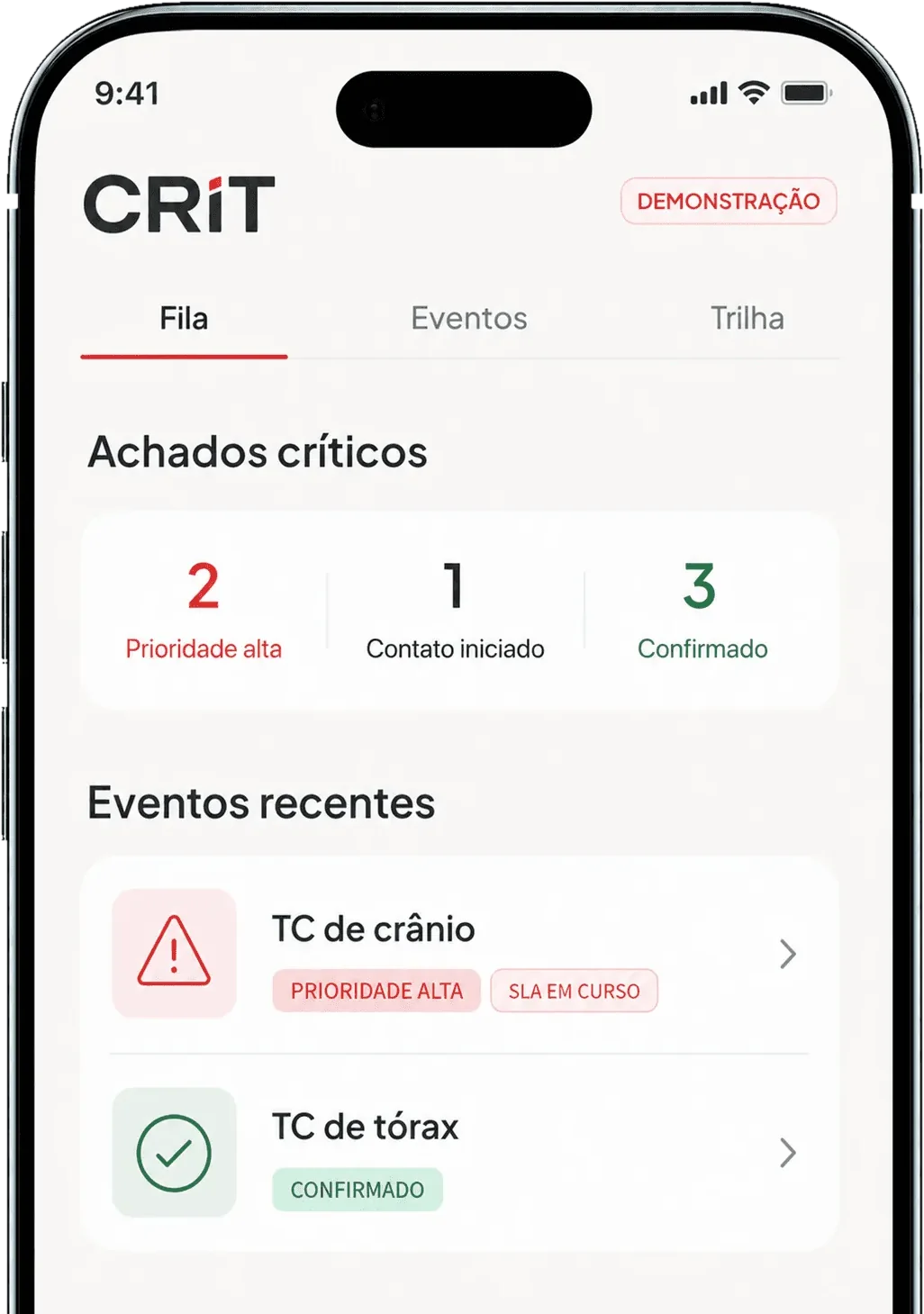
Ordered exams sit in a single queue, with the critical finding and status visible to the care team.
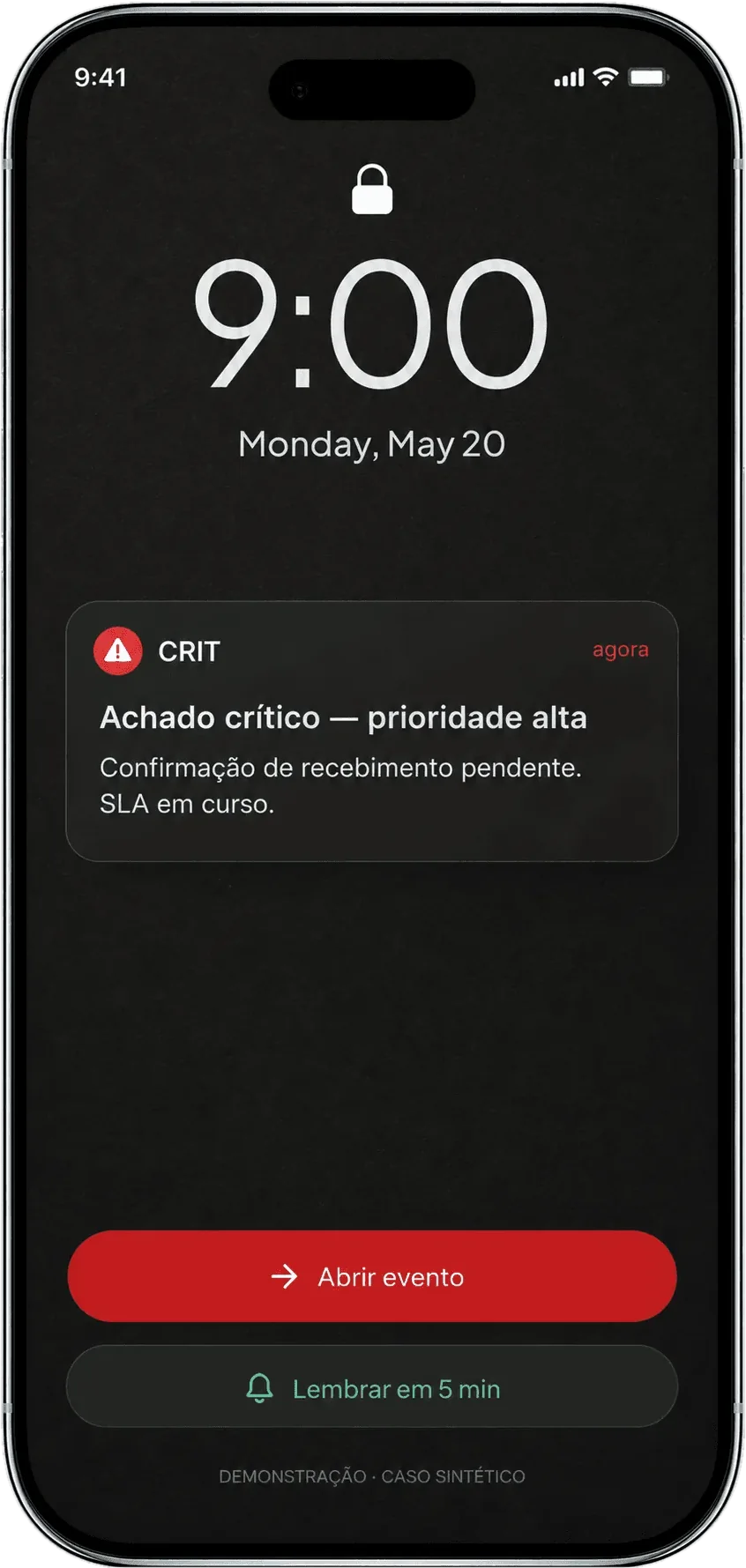
CRIT sends an immediate push. Without confirmation, it sets up escalation by phone call.
In the case, the requesting physician confirms receipt, opens the report and talks to the radiologist without losing context.
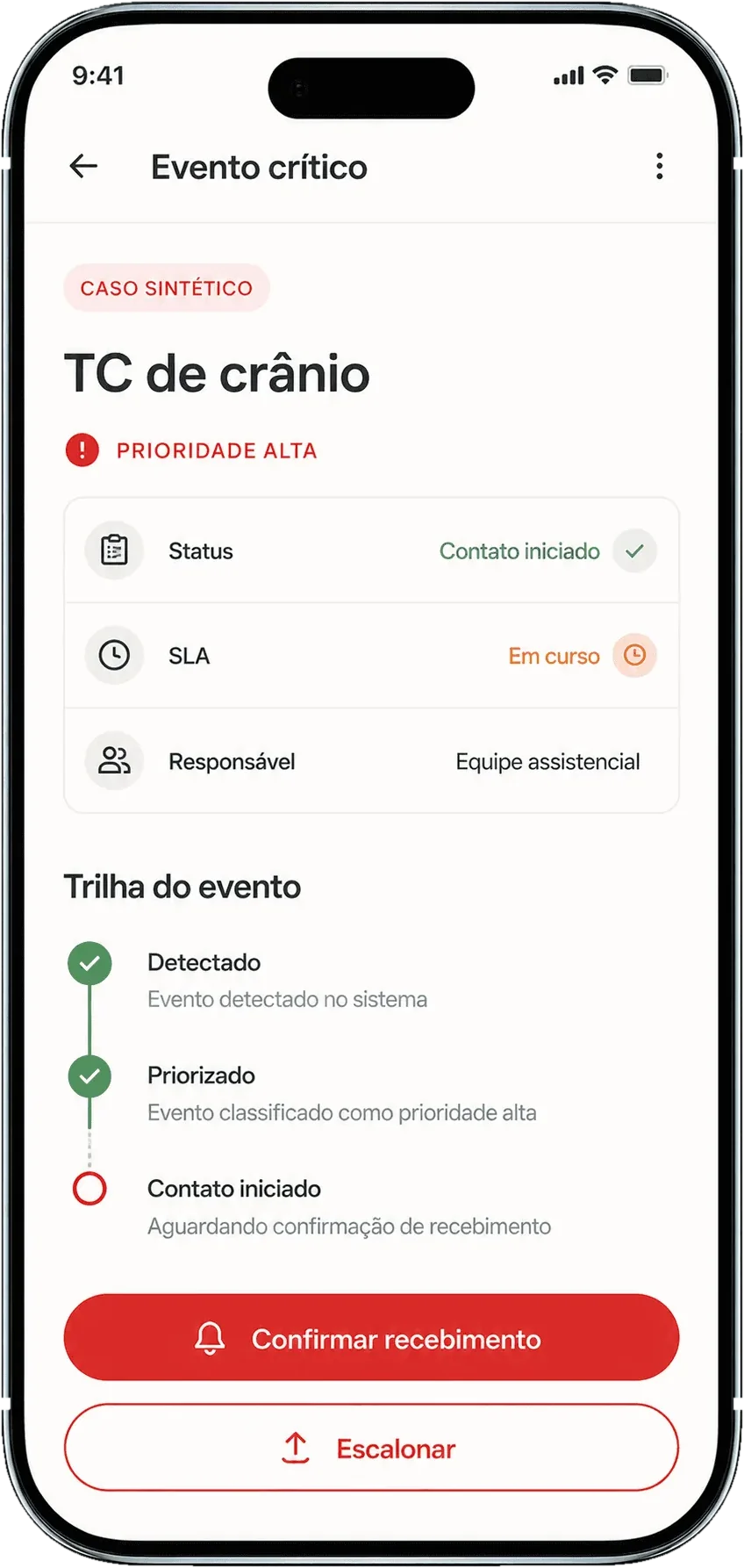
The app the requesting physician actually uses
From sign-in to history, every state below exists in the provided prototype.
The requesting physician signs in to the app to follow critical findings and ordered reports.
Exam, patient and finding arrive together, with an action to confirm or open the case.
With no confirmation within five minutes, the call reinforces the communication.
Receipt, report and contact with the radiologist stay in the same flow.
Critical, ready, read and in-progress items are organized in a single view.
Confirmed alerts and available reports remain accessible for lookup.
Flag, contact, confirmation, escalation and history stay linked to the same exam. The shift changes, the team changes, the case changes hands: the record of the finding does not come apart along the way.

How CRIT works day to day
Answers based on the flows of the requesting physician's app.
The app sends a push with exam, patient and finding, opening the case for confirmation.
After five minutes without confirmation, the flow can escalate via an automatic call.
Yes. The case detail gives access to the signed report without losing the context of the alert.
Yes. The case flow keeps the option to contact the radiologist.
The history gathers confirmed alerts and reports available for lookup.
Yes. The prototype includes critical-finding push, escalation by call, a report-available notice and a daily summary.
Flag, contact, confirmation and history stay linked to the same exam — from the first alert to closure.
Request a demo